Budgeting after relocation: a guide for expats
How to set up personal finances after moving abroad: accounts in several currencies, exchanges, rent and limits. Examples for Georgia and Serbia.
· 5 min read
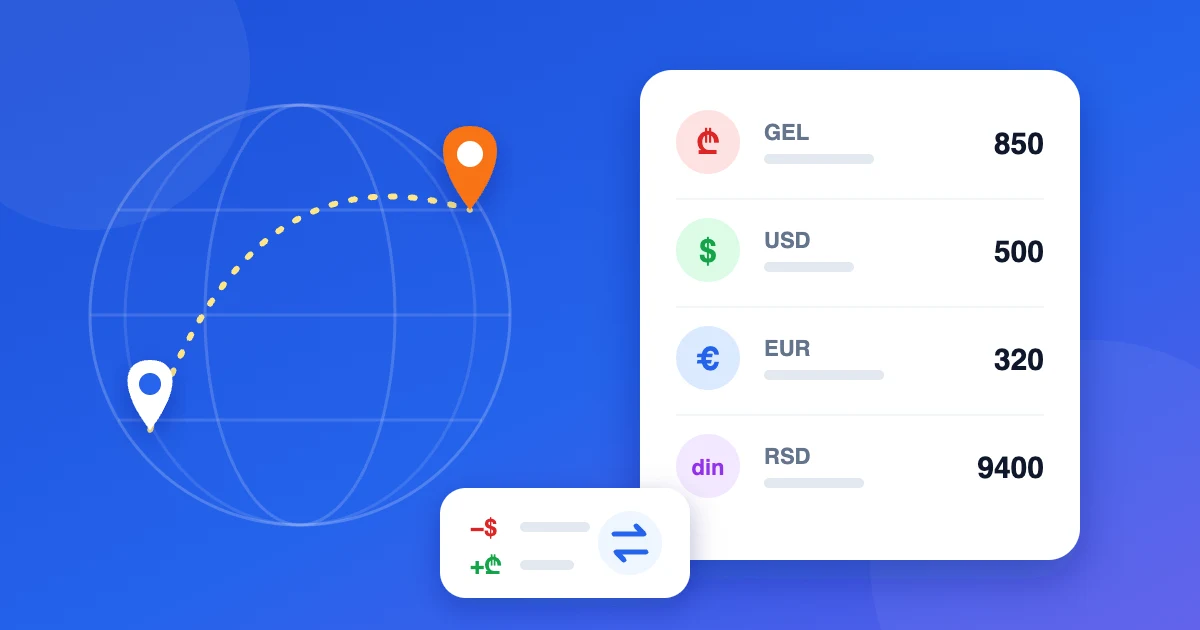
Moving to another country rearranges your money faster than your furniture. Your salary still arrives in one currency, rent is quoted in another, groceries are paid in a third, and there is an old card at home you can't quite close yet. Within a month it's hard to answer a simple question: how much do we actually spend here?
This guide shows how to set up personal finances in the first weeks after relocation, using Georgia and Serbia as examples. The same approach works anywhere.
Why the usual budgeting apps don't help
Most budgeting apps are built around one country: they connect to local banks and assume everything happens in one currency. After a move that model breaks:
- your new local bank is often not supported;
- some money is still in banks back home, some arrives through payment services or as cash;
- you'd rather not hand bank logins to yet another service.
A budget that doesn't depend on bank connections works regardless of where your money is. You record transactions yourself — it takes a few seconds and gives you a more honest picture than an automatic feed.
Step 1: list where your money lives
Write down every place that holds money, each in its own currency. A typical setup after a move:
Georgia
- a local bank card in GEL for daily spending;
- a USD or EUR balance at the same bank where your salary arrives;
- cash in GEL;
- a card from your home country that still gets occasional top-ups.
Serbia
- a local card in RSD;
- a EUR account — rent and many big payments are often quoted in euros;
- cash in dinars;
- savings in another currency.
Each of these becomes a separate account in your budget, in its own currency. If one bank card holds several currencies, that's several accounts.
Step 2: choose a main currency
You need one currency for totals and reports. For most people who move, it's the currency they earn in — often USD or EUR. Some prefer the local currency because that's what everyday prices are in.
There is no wrong choice, but stick to it: comparing months only makes sense in one unit.
Step 3: record exchanges as transfers
Currency exchange is the moment budgets usually go wrong. When you convert 1,000 USD into lari, you didn't spend 1,000 USD — you moved it from one account to another.
Record an exchange as a transfer with two amounts: what left the USD account and what arrived on the GEL account. The difference is the real exchange rate you got, including the bank's margin. An explicit fee, if there was one, goes in as a separate expense.
The same applies to moving money from a home-country account to your new local bank.
Step 4: put rent and recurring bills on a schedule
Rent, utilities, the phone plan, a coworking membership, kindergarten — set them up once as regular payments in the currency they're actually paid in. Then each month you see what's due and confirm a payment in one tap.
A typical case: rent is agreed in EUR or USD, but you pay it from a local card. Record the payment in the currency it left the account in — that's the amount your bank shows.
Step 5: set limits in your main currency
Set monthly limits for the main categories: rent, groceries, eating out, transport, health. Spending from any account counts toward the limit after conversion, so a café paid in dinars and an online subscription paid in dollars both land in the right budget.
The first two months after a move are the most expensive: deposits, furniture, documents, a lot of eating out. Give them their own category — "Relocation" — so they don't distort your idea of normal monthly spending.
A first-month checklist
- List every account and its currency.
- Pick a main currency.
- Record every exchange as a transfer with two amounts.
- Put rent and other recurring bills on a schedule.
- Create a temporary "Relocation" category for one-off costs.
- After the first month, set limits based on real spending.
How to do it in Buddzy
Buddzy is built for people whose money lives in several currencies:
- no bank connection needed — it works with any bank in any country, and you don't share bank logins;
- every account has its own currency — local cards, foreign-currency accounts, cash, savings;
- totals and reports in your main currency at daily exchange rates, while balances stay exact;
- transfers between currencies take two amounts, so exchanges don't look like spending;
- regular payments for rent and bills, with reminders;
- category limits that count spending from all accounts;
- a shared family budget if you moved together.
The Free plan covers up to 5 accounts; budgets come with the paid plans — see pricing. For the bookkeeping rules in more detail, read our guide to tracking expenses in multiple currencies.
Read next
 GuideMultiple currencies
How to Track Expenses in Multiple Currencies
Paid in one currency, spending in two others? A simple system for tracking expenses across currencies — accounts, a main currency, transfers and budgets.
· 4 min read
 ArticleFamily finance
Family budget: shared accounts, limits and roles
How to run a family budget everyone can see: shared and personal accounts, category limits, recurring bills and a monthly check-in.
· 5 min read
 ArticleFamily finance
How to Budget as a Couple Without Arguing
A simple shared budget for couples: what counts as shared, how to split costs fairly, joint accounts, monthly limits and a 15-minute money date.
· 4 min read