Zenmoney vs Buddzy: an Honest Budget App Comparison
How Zenmoney and Buddzy differ on bank sync, multiple currencies, budgets, family sharing and the free plan — who each one suits and how to switch.
· · 7 min read
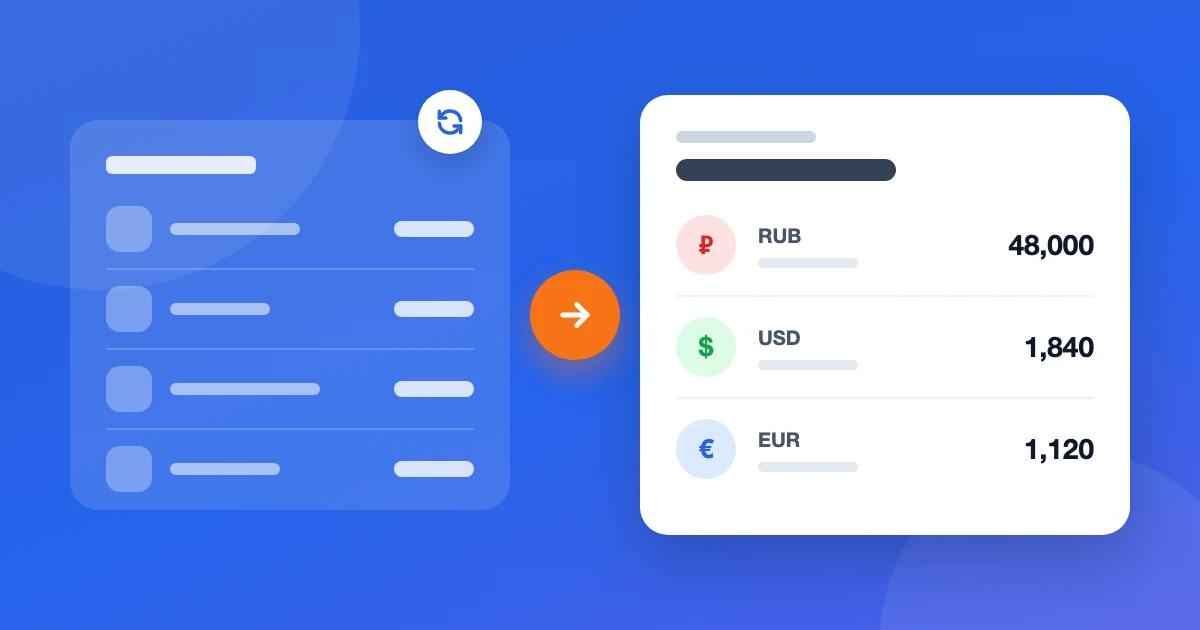
Zenmoney is one of the best-known expense trackers in Russia. Buddzy is our app, so let's say it up front: we're biased. We'll still compare them honestly. Zenmoney has strengths we don't, and for some people it's the better choice. Below is a point-by-point look at how the two differ and who each one suits.
The main difference in one paragraph
Zenmoney is built around bank sync: transactions come in on their own, and you review and categorise them. Buddzy is built around money in several currencies and doesn't connect to banks: you add transactions yourself, and in return the app works the same with any bank in any country. If Zenmoney supports your banks and your money sits in one or two currencies, it has a real edge. If your banks are abroad and you juggle three or four currencies, it's the other way round.
Quick comparison
| Buddzy | Zenmoney | |
|---|---|---|
| Works with a bank in any country | Yes — doesn't depend on a list of supported banks | Sync only with supported banks, mostly in Russia and the CIS |
| Access to your online banking | Never needed | Needed for sync |
| Multiple currencies | The core use case: own currency per account, reports at the rate on each transaction's date, exchanges as two-amount transfers | Yes: own currency per account, totals in a main one, exchanges as transfers |
| Free plan | Up to 5 accounts and 200 transactions a month, no time limit | Yes, with limits |
| Family budget | Up to 10 people on one subscription, personal accounts stay personal (Premium) | One shared account for the family |
| Moving from Zenmoney | Import in a couple of minutes, free on every plan | — |
| Category budgets | Yes, on Basic | Yes |
| Planned payments | Yes, with a reminder before the due date | Yes |
| Adding transactions | Manually — 5–10 seconds per expense | Automatically from connected banks |
| Platforms | In the browser on phone and computer, nothing to install | iOS and Android apps, web version |
Zenmoney's prices and plan contents change from time to time, so check their site for current terms.
Bank sync
This is Zenmoney's trump card. If your cards are with supported banks, tracking takes almost no effort: spending shows up by itself and you just sort it into categories. For many people that settles it, and fairly so.
Sync has a flip side. It only works while the bank is supported and the connection holds. Users regularly complain that sync breaks after bank updates, and abroad the bank you need often isn't on the list at all. More on that in our piece on a Zenmoney alternative for living abroad.
Buddzy doesn't connect to banks at all. That's deliberate: the app never needs access to your online banking and works the same with a bank in Tbilisi, Belgrade or Lisbon. The cost is manual entry. In practice that's 5–10 seconds after each payment plus a weekly balance check; the "Update balance" button makes it quick to match an account to the bank.
Multiple currencies
Both apps let each account have its own currency and show totals in a main one. The difference is what the interface is built around.
In Buddzy, multiple currencies are the core use case, not an add-on. Rates update daily. Reports and budgets convert each transaction at the rate on its date, so past months don't drift with the exchange rate, while your overall balance uses today's rate. An exchange is recorded as a transfer with two amounts — what left and what arrived — so the exchange fee never shows up as spending.
We covered how to run this kind of setup in any app in the guide to tracking expenses in multiple currencies.
Budgets and planned payments
Here the apps are close. Both let you set monthly limits per category and watch what's left, and both handle recurring payments: rent, subscriptions, loans. In Buddzy, budgets come with the Basic plan, and payment reminders arrive ahead of the due date.
Family budget
The approaches differ. With Zenmoney, a family usually shares one account. With Buddzy on Premium, you create a family of up to 10 people: categories, tags and payees are shared by the whole family, everyone sees the family accounts and limits, while personal accounts and their transactions stay personal. Each family transaction shows who recorded it, and the owner's subscription covers every member. That works well when partners have both shared money and their own. More in our article on budgeting as a couple.
Platforms
Zenmoney has full iOS and Android apps plus a web version. Buddzy doesn't have an App Store or Google Play app yet: it's a web app that runs in the browser on your phone and computer. If a native app and home-screen widgets matter to you, that's a point for Zenmoney.
Who each one suits
Stay with Zenmoney if:
- you live in Russia and your banks sync reliably;
- your money is mostly in one currency;
- a native mobile app matters to you.
Try Buddzy if:
- you've moved abroad and Zenmoney doesn't see your new bank;
- your money sits in three or four currencies and you want an honest total in one;
- you'd rather not give an app access to your online banking;
- you want a family budget where personal accounts stay personal.
Moving from Zenmoney to Buddzy
No CSV files needed. After signing up, sign in to Zenmoney in its own window — your login and password never reach Buddzy — and choose what to bring over: just accounts with current balances, or all data including transaction history, planned payments and the budget. The import is free on every plan, and the Free plan's limits don't apply to it. Details are on the Zenmoney import page.
If you'd like to keep a copy of your data first, here's how to export your data from Zenmoney.
FAQ
Can I use both apps at once? You can, but tracking in two places gets old fast. The Buddzy import is one-time, with no ongoing sync. It's easier to bring your data over, try it for a week or two and pick one.
Will my data disappear from Zenmoney after the import? No. The import only reads from Zenmoney and changes nothing there.
How much does Buddzy cost? The Free plan has no time limit: up to 5 accounts and 200 transactions a month. Budgets come with Basic; the family budget and data export with Premium. See pricing.
What if I change my mind? On Premium you can export all your data to CSV or Excel. And within 14 days of any payment you can get a full refund.
The short version
Zenmoney is stronger where bank sync works: at home, with supported banks and one currency. Buddzy is stronger where sync doesn't help: abroad, with several currencies and banks that aren't on anyone's list. You can try Buddzy with your own data — the move takes a couple of minutes. If you're weighing more options, see our comparison of multi-currency budget apps.
Read next
 GuideMultiple currencies
Budgeting for Digital Nomads Paid in USD
Paid in dollars, spending in a new currency every few months? A simple budget for digital nomads: buffers in USD, conversion in batches, limits that follow you.
· 6 min read
 ArticleMultiple currencies
YNAB Alternative for Multiple Currencies
YNAB has one currency per budget. If your money is in dollars, euros and a local currency, here's what to switch to and how to move without losing the method.
· 6 min read
 ArticleMultiple currencies
Zenmoney Alternative for Living Abroad
Moved abroad and Zenmoney can't see your new bank? What matters in a budget app after relocation, how to move your records, and why account currency beats sync.
· 7 min read